🚀 ImgGen AI API is now live! Integrate powerful image processing tools into your apps. Check out the docs

AI Text Remover: Remove Text from Images Online Free

An AI text remover is an online tool that uses artificial intelligence to detect and erase text — such as captions, watermarks, labels, and overlaid words — from any image while reconstructing the background behind it, leaving no visible trace.

ImgGen's text remover is free, requires no sign-up, and processes images in under 5 seconds. Upload a JPG, PNG, or WEBP and download the clean result instantly.

Keeps background intactCaptions & watermarksNo quality loss100% Free
Text Remover
100% Free
Drag & drop your image
JPG, JPEG, PNG or WEBP · up to 10 MB
Supports JPG, JPEG, PNG, WEBP · Max 10 MB · Max 4000×4000 px
Detection
Examples

AI Text Remover for All Use-Cases

From everyday snapshots to product photography and mockups — erase unwanted text in seconds, automatically.

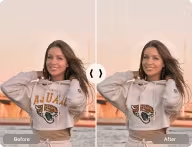
For Image Editing — before and after text removal example

For Image Editing

Effortlessly remove text from pictures online. Our AI-powered text remover cleans up cluttered images instantly — no manual masking required.
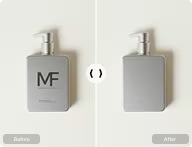
For E-Commerce — before and after text removal example

For E-Commerce

Enhance product photos with our free text remover. Delete labels and overlaid text from pictures to boost your product photography quality.
For Mockups — before and after text removal example

For Mockups

Create flawless mockups by removing text from images online. Instantly erase words from pictures for clean business presentations.

Remove Text Without Removing the Background

Experience the magic of intelligent text removal. Our AI-powered tool accurately erases words and phrases from an image while keeping the background completely untouched.

Restore your photos to their text-free glory without losing any visual details — perfect for cleaning up snapshots, enhancing marketing materials, or refreshing old memories.

Try Now
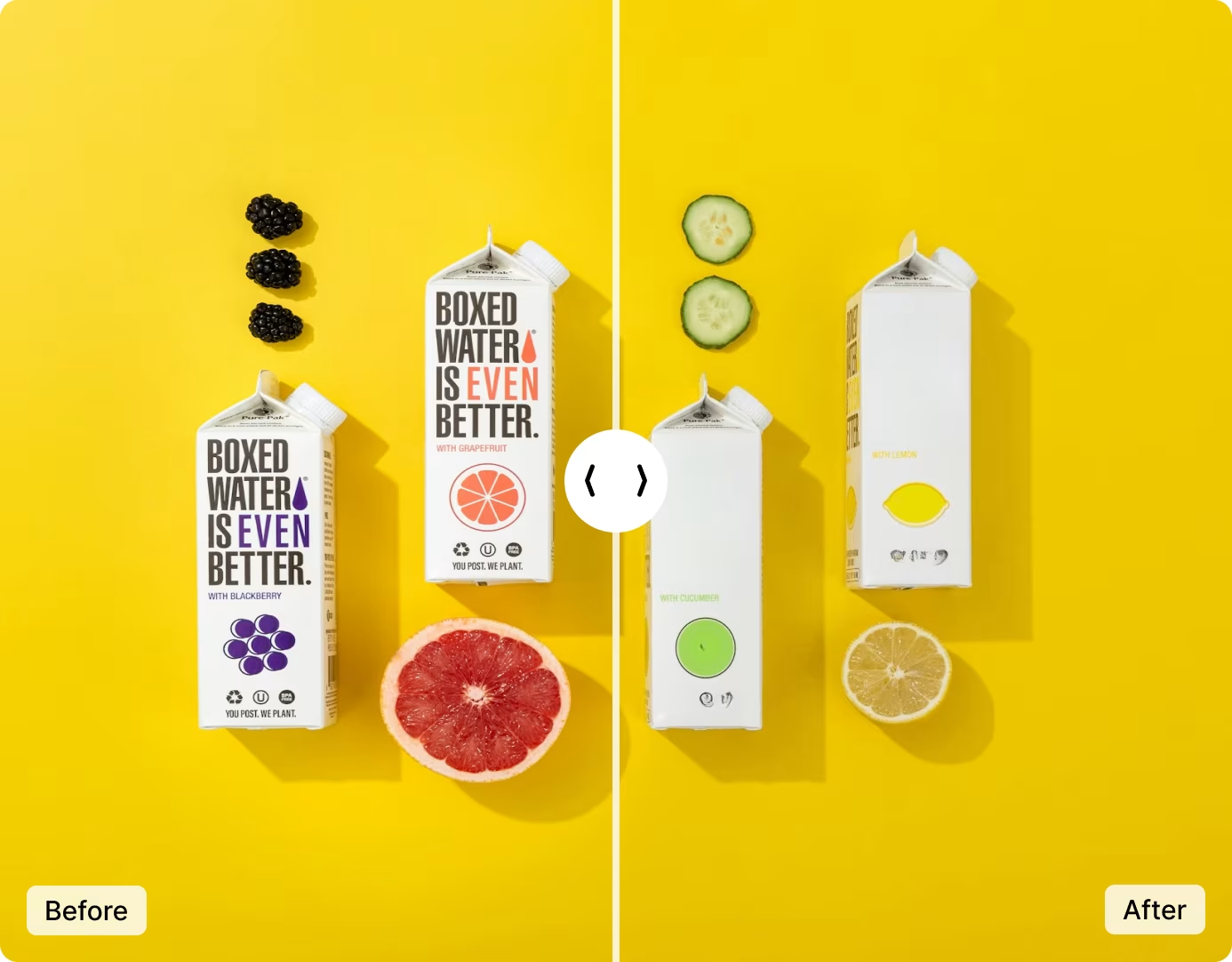
Side-by-side comparison showing text removed from an image while the background remains perfectly intact

See the Difference

Compare the original with the clean, text-free result.

Original photo with caption text overlaid on the image
Same photo after AI text removal — clean background with no trace of the original textafter
no trace left
For Developers

Text Removal API for Your App

Integrate ImgGen's Text Removal API for automatic, background-safe text erasing at scale — ideal for e-commerce catalogs, editing apps, and bulk cleanup pipelines.

Get API Key
POST /v1/text-remover
Authorization: Bearer ••••
 
{
  "image_url": "poster.jpg",
  "keep_background": true
}
 
→ 200 OK · clean.png

How to Erase Text from a Photo in 3 Steps

No software to install — upload, remove, and download in seconds.

1
step 01

Upload Your Image

Click "Upload Image" or drag & drop your picture. Compatible with JPG, PNG, JPEG, and WEBP files up to 10 MB.

2
step 02

Remove & Compare

Click "Remove" to erase text from the image. Compare the before and after results instantly, side by side.

3
step 03

Save Image

Click "Download" to save your text-free image in high quality — background fully preserved, no watermark.

ImgGen vs Photoshop for Text Removal

See how ImgGen's free AI text remover compares to Photoshop.

FeatureImgGen AIPhotoshop
Speed~5 seconds2–5 min (manual)
PriceFree$22.99/mo
AI-PoweredPartial
Install RequiredNoYes
Background PreservationAutomaticManual effort
Bulk ProcessingVia APIBatch actions
Sign-up RequiredNoYes

More Tools for Your Creativity

Discover more AI-powered tools to enhance your creative process.

Unblur ImageAI Image UpscalerRemove WatermarkAI Face EnhancementRemove Text From ImageBackground Remover

Frequently asked questions

What is ImgGen's AI Text Remover?
ImgGen's AI Text Remover is a free online tool that automatically detects and erases text — captions, watermarks, labels, and unwanted words — from your images while keeping the background perfectly intact.
What file formats are supported?
You can upload JPG, JPEG, PNG, and WEBP images up to 10 MB. The clean, text-free result is delivered in high resolution, ready to download and use anywhere.
How does it remove text without affecting the background?
Our AI intelligently identifies text regions and reconstructs the area behind them by matching surrounding textures and colors — so the text disappears with no smudges or empty patches left behind.
Is your online text remover free to use?
Yes. The ImgGen Text Remover is completely free to use online — no sign-up required to try it, no watermark added to your result, and no hidden limits for everyday use.
How do I erase text from multiple images at once?
For bulk cleanup, use the ImgGen Text Removal API or a paid plan to process many images in one go — perfect for e-commerce catalogs and large photo libraries.
Do you offer a Text Remover API for developers?
Yes. The Text Removal API lets you add automatic, background-safe text erasing to your own product. Grab an API key, send an image, and receive a clean result back in seconds.
ImgGen vs Photoshop for text removal — which is better?
ImgGen removes text in under 5 seconds with AI inpainting — completely free, no install required. Photoshop requires manual clone-stamp or content-aware fill (takes 2–5 minutes per image, costs $22.99/month). For fast, automated text removal, ImgGen is the best free option.

Erase your first text — free

Remove captions, watermarks, and unwanted words with no quality loss and no watermark left behind. Just upload and let the AI do the rest.

Upload & Remove Text