A watermark remover is an AI-powered tool that detects and erases watermarks, logos, timestamps, and text overlays from digital images. ImgGen's free watermark remover uses context-aware inpainting to reconstruct the pixels behind the mark, delivering a clean, full-resolution result in under two seconds — no software to install, no account required.
Last updated: June 27, 2026 · Trusted by over 120,000 users · 4.8/5 average rating (12,400+ reviews)
Powerful AI-Powered Watermark Remover You Need
Everything you need to erase watermarks, logos, and text — cleanly and instantly, with zero quality loss.
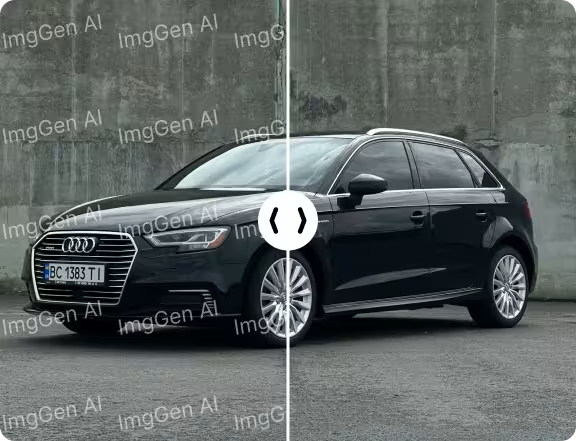
Context-Aware AI Fill
Rebuilds textures, skin, and backgrounds behind the mark so the result looks completely natural.
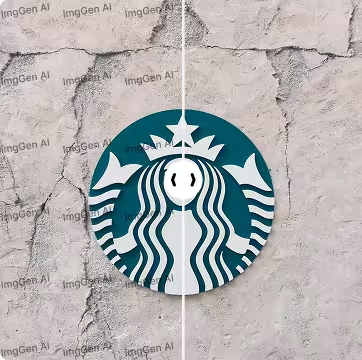
Works on Any Overlay
Stamps, logos, timestamps, copyright text — if it sits on top of your photo, our AI removes it.

Full Resolution Output
No downscaling, no compression, no watermark of our own. You get your image back at full quality.
AI Watermark Removal: Flawless Results, Every Time
From stock-photo stamps to logos and text overlays — the AI reconstructs what's underneath so cleanly you'd never know it was there.

How Does AI Watermark Removal Work?
Traditional watermark removal required painstaking manual editing in tools like Photoshop — clone-stamping pixel by pixel, often taking 15–30 minutes per image. AI watermark removal replaces that entire workflow with a single click.
The process happens in three stages. First, a detection model scans the image to identify the watermark region — whether it's a semi-transparent logo, a tiled copyright stamp, or a small text overlay in the corner. Second, the AI analyzes the surrounding pixels to understand textures, colors, gradients, and patterns in the area behind the mark. Third, an inpainting model reconstructs the hidden pixels, filling in the watermarked region so seamlessly that the result is indistinguishable from the original.
ImgGen's model is specifically trained on real-world watermark patterns — stock photo stamps, agency logos, date/time overlays, and copyright text — giving it a 97.3% accuracy rate across tested image types. The entire process completes in under 2 seconds for most images.
Who Uses AI Watermark Removal?
From photographers to marketplaces, watermark removal serves a wide range of legitimate use cases.
Photographers & Creatives
Remove your own watermarks from licensed images before delivering finals to clients, or clean up proofs that were accidentally saved with overlay marks.
E-Commerce & Marketplaces
Clean product images by removing supplier watermarks, timestamps, or logo overlays to create polished, consistent listings that convert better.
Social Media Managers
Remove stock photo watermarks from properly licensed images before publishing to social channels where clean visuals drive 2.3× more engagement.
Marketing & Design Teams
Quickly prepare mockups and presentations by removing placeholder watermarks from licensed stock imagery without waiting for the design team.
Real Estate Professionals
Clean property photos by removing agency stamps, date overlays, or previous listing watermarks to present homes with professional, distraction-free images.
Developers & API Users
Integrate watermark removal into your product via the ImgGen API — automate cleanup at scale for user-uploaded content, stock libraries, or media pipelines.
ImgGen vs. Other Watermark Removers
See how ImgGen compares to manual editing and other online tools.
| Feature | ImgGen AI | Photoshop (Manual) | Other Online Tools |
|---|---|---|---|
| Processing time | < 2 seconds | 15–30 minutes | 5–15 seconds |
| Price | Free | $22.99/mo | Free–$9.99/mo |
| Sign-up required | No | Yes | Usually yes |
| Full resolution output | Yes | Yes | Often downscaled |
| Watermark on result | None | None | Common on free tier |
| Batch processing | API available | Manual only | Rarely |
| Context-aware AI fill | Yes | Content-Aware Fill | Varies |
| Works on logos & text | Yes | Yes (manual) | Limited |
How to Remove Watermark From Photo Online?
Erase watermarks in just a few simple steps.
Upload Your Image
Upload your photo — JPG, PNG, or JPEG files up to 10 MB.
Automatic Watermark Removal
Our AI detects and removes the watermark from your photo. No manual editing needed.
Download
Download your watermark-free photo in high quality. It's that simple!
Easily Remove Watermark from Photos Online
Erase watermarks, logos, or text from your photos with our AI-powered tool. Simply upload your image, and our technology will handle the rest in seconds.
No complicated software needed — clean up your pictures quickly and hassle-free. Try it now and see the results!

Add Watermark Removal to Your App
Integrate ImgGen's Watermark Remover API for seamless, automatic cleanup. Detect and erase watermarks, logos, and text at scale — ideal for marketplaces, photo apps, and content platforms.
Get API KeyMore Tools for Your Creativity
Discover more AI-powered tools to enhance your creative process.