Fix Any Type of Blur
Handles motion blur, defocus blur, and camera-shake blur. The AI detects the blur pattern and applies the right correction automatically.
An AI image unblur tool uses deep learning — typically convolutional neural networks (CNNs) trained on millions of blurred/sharp image pairs — to reverse blur degradation in photographs. Unlike traditional sharpening filters that amplify edges uniformly, AI deblurring detects the specific blur kernel (motion, defocus, or Gaussian) and reconstructs the original detail that was lost.
ImgGen's unblur tool runs entirely in the browser. You upload a blurry photo, the AI processes it on cloud GPUs, and you download the sharp result — typically in under 2 seconds. No software installation, no Photoshop skills, no account required.
The tool supports three modes: Auto (AI selects the best approach), Normal (subtle sharpening for slightly soft images), and Strong (maximum deblur for heavily degraded photos). It accepts JPG, PNG, and WEBP files up to 10 MB.
Not all blur is the same. Each type has a different mathematical profile, and the AI model applies a different correction strategy for each.
Caused by camera or subject movement during exposure. Common in handheld shots, action photography, and low-light conditions. The blur follows a directional path that the AI reverses.
Occurs when the lens focuses on the wrong distance. Creates a circular bokeh pattern. The AI reconstructs edge detail that was spread by the lens's aperture.
From hand tremor, vibration, or an unstable surface. Produces a uniform softness across the frame. AI deconvolution estimates the shake trajectory and reverses it.
Detect blur type, sharpen fine details, and restore clarity — automatically, in seconds.
Handles motion blur, defocus blur, and camera-shake blur. The AI detects the blur pattern and applies the right correction automatically.
Auto mode lets AI decide. Normal mode applies subtle sharpening for slightly soft photos. Strong mode maximizes deblur for heavily blurred images.
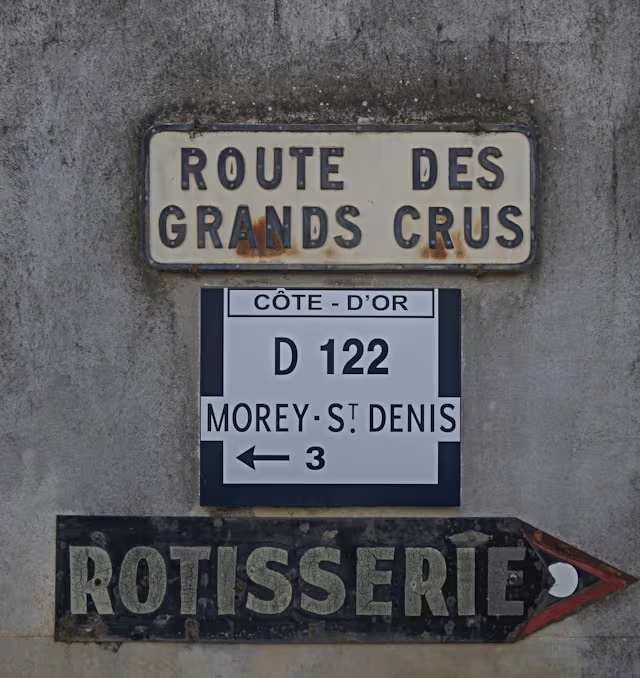
Sharpen blurry text in screenshots, scanned PDFs, whiteboard photos, and infographics — making characters crisp and readable.
Output at original resolution with no compression artifacts, no watermark, and no sign-up required. Ready for print, web, or social media.
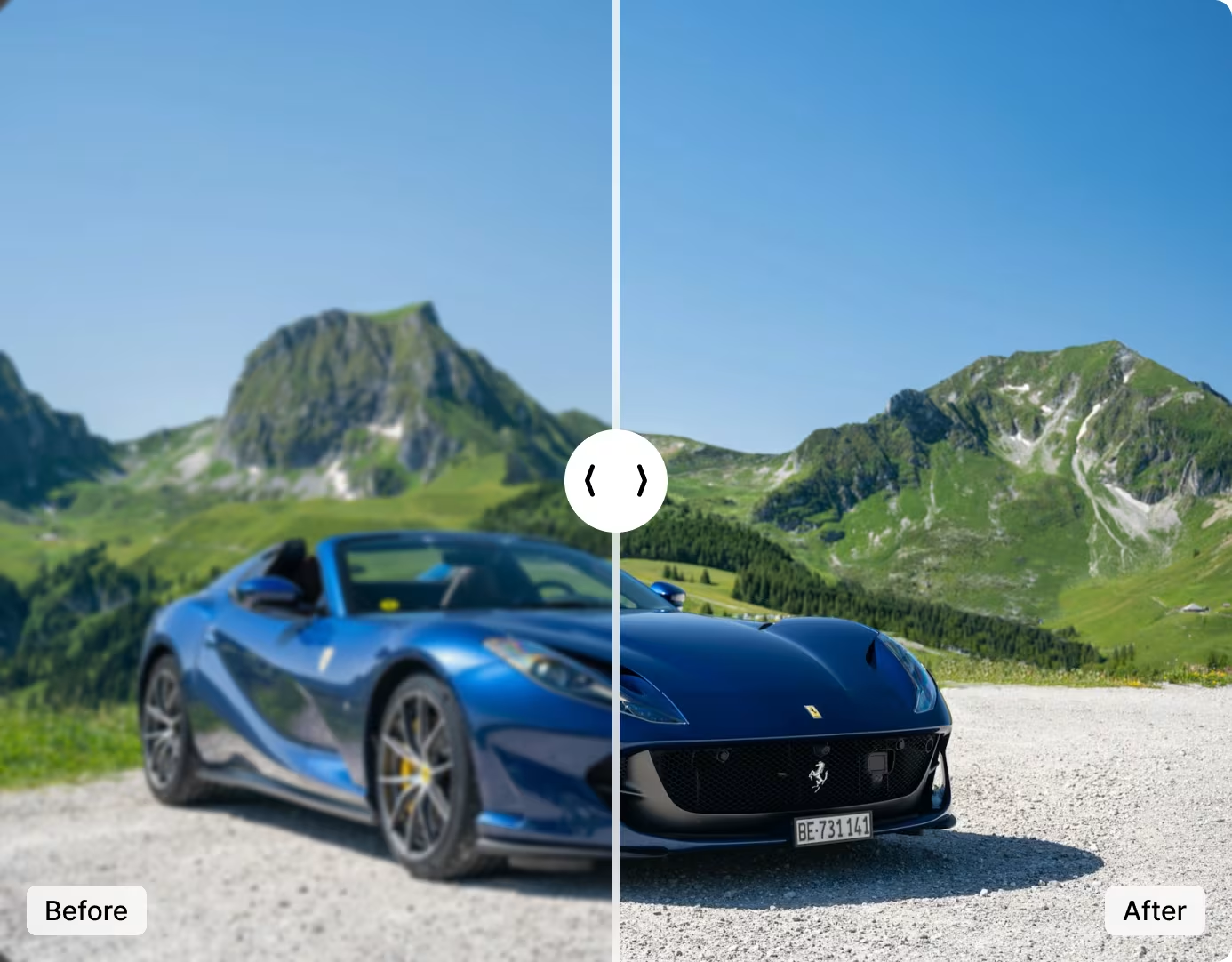
Upload any blurry photo and the AI identifies whether the blur is from motion, defocus, or camera shake. It then applies the correct deconvolution to reconstruct sharp edges and fine textures — from facial features in portraits to text on signs.
The output preserves original resolution with no compression artifacts. No watermarks on any plan, including free. Results are ready for print, web, social media, or further editing in Photoshop or Lightroom.
Unblur a Photo NowTraditional sharpening tools (Unsharp Mask, Smart Sharpen) amplify edges uniformly — they can't distinguish between a blurry subject and intentional bokeh, and they introduce halos and noise on aggressive settings.
AI deblurring is fundamentally different. The neural network was trained on millions of blurred/sharp image pairs, learning to predict what the sharp version of a blurry region should look like. It reconstructs actual detail rather than faking sharpness — no halos, no noise amplification, no manual parameter tuning.
Try AI Deblur Free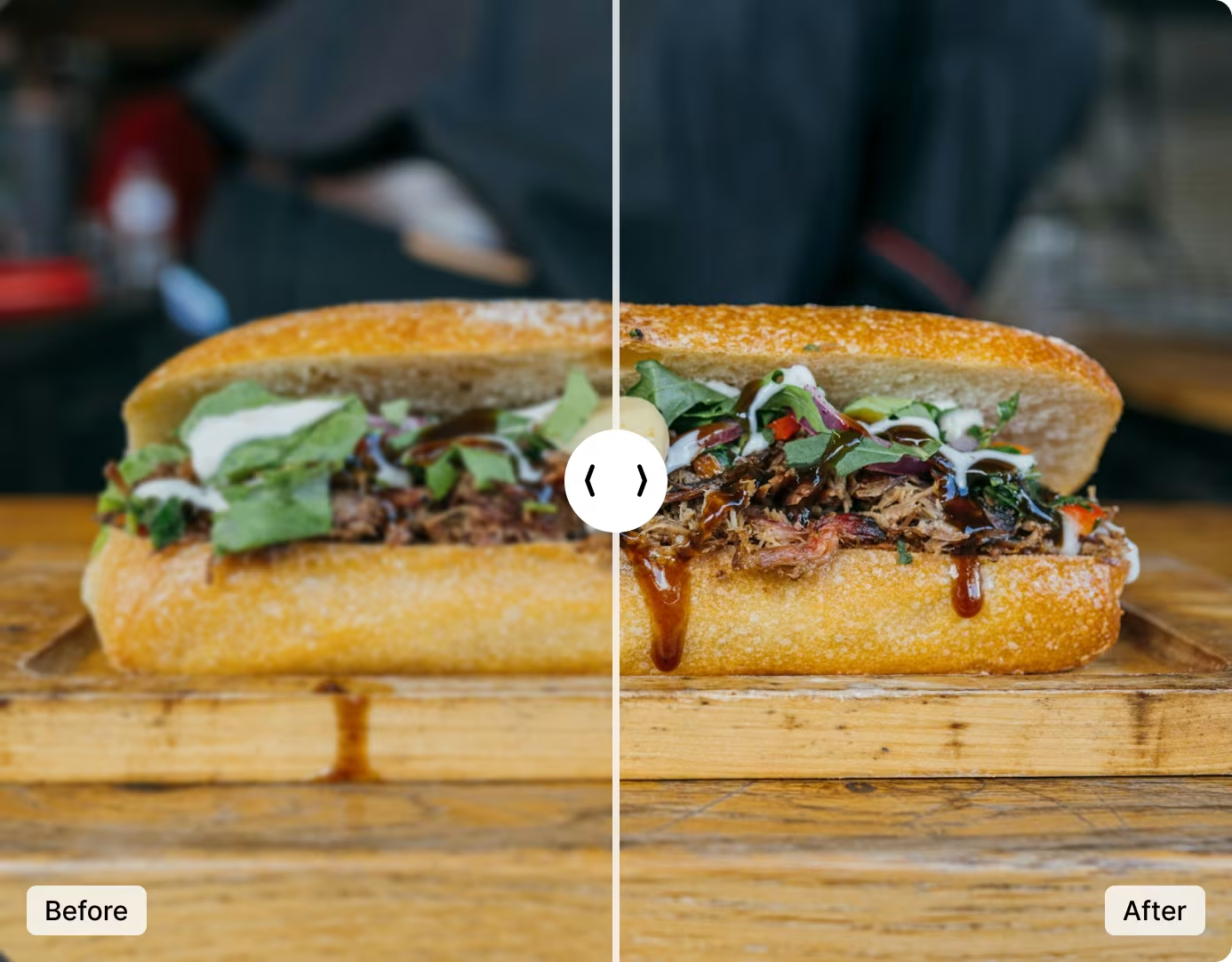
From photographers to e-commerce sellers — anyone with a blurry photo that needs to be sharp.
Rescue out-of-focus shots and motion-blurred action photos without reshooting. Recover detail in low-light handheld images.
Sharpen product images taken with phone cameras. Clear photos increase buyer confidence and reduce return rates.
Fix blurry interior and exterior listing photos. Sharp property images generate more inquiries and higher engagement.
Unblur photos before posting to Instagram, TikTok, or LinkedIn. AI sharpening compensates for platform compression.
Sharpen scanned documents and whiteboard photos for better OCR accuracy. Clearer text means fewer transcription errors.
Restore clarity to faded, blurry family photos and vintage prints. Combine with the Colorize tool to bring old memories to life.
Integrate automatic deblurring into your product with a single API call. Send an image URL and mode, receive a sharp result. Available on Starter (5,000 calls/mo) and Pro (10,000 calls/mo) plans.
Ideal for photo editing apps, e-commerce platforms, real estate listing tools, and document processing pipelines that need to fix blur programmatically at scale.
View API DocsNo software to install, no account to create. Upload, deblur, download.
Drag and drop or click "Upload Image" to select any blurry photo. Accepts JPG, PNG, and WEBP up to 10 MB.
Pick Auto (AI decides), Normal (subtle sharpening), or Strong (maximum deblur). The AI analyzes the blur pattern and reconstructs sharp detail.
Preview the before-and-after result. Download in full resolution — no watermark, no quality loss, ready to use anywhere.
Get the best results by chaining tools. Unblur first, then upscale, enhance, or restore.